Spatial Gallery
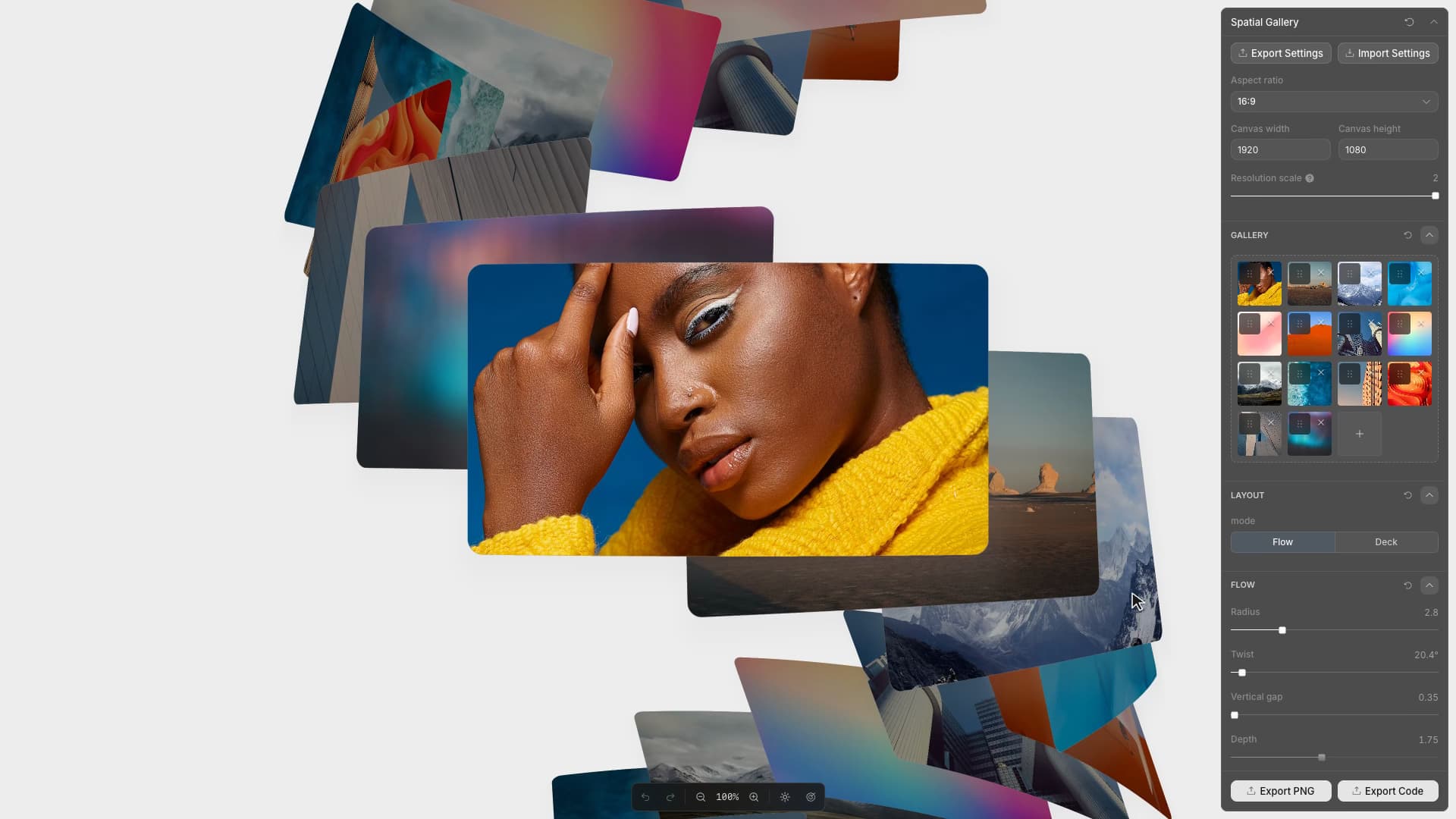
Arrange images in interactive 3D galleries with flowing layouts, physical cards, and smooth navigation.
Start from this app
Run the CLI. Paste the copied command into your terminal.
Name your project. Choose a name, then let the CLI install the app and its dependencies.
Start building. Open the generated project and make it your own.

Spatial Gallery lets a design leave Toolcraft as an interactive React component. The code export includes the renderer, styles, current settings, ordered image assets, and integration instructions. Card curvature, inertia, snapping, and pointer behavior remain part of the exported work.
That matters because the design is partly in the movement. Flow carries images around an endless curved path; Deck deals them from a weighted stack. Wheel, drag, and keyboard input have to preserve the same behavior after integration.
Card bending is tied to movement. The renderer curves each image across its width, then adds an edge pull driven by scroll velocity. Reversing the scroll direction reverses that pull; as movement settles, the card relaxes toward its resting curve. The flex has separate strength and response controls, allowing the deformation to lag behind the input by a chosen amount.
Deck gives weight a different implementation. Input moves a target position, and a damped spring carries the visible stack toward it. Increasing weight lowers the spring's stiffness, so the cards take longer to gather speed and come to rest. Once the remaining distance and velocity are negligible, the stack lands exactly on its target and the frame loop can stop.