Brick Mosaic
Turn images into textured brick mosaics with adjustable colors, lighting, and controlled chaos.
Start from this app
Run the CLI. Paste the copied command into your terminal.
Name your project. Choose a name, then let the CLI install the app and its dependencies.
Start building. Open the generated project and make it your own.

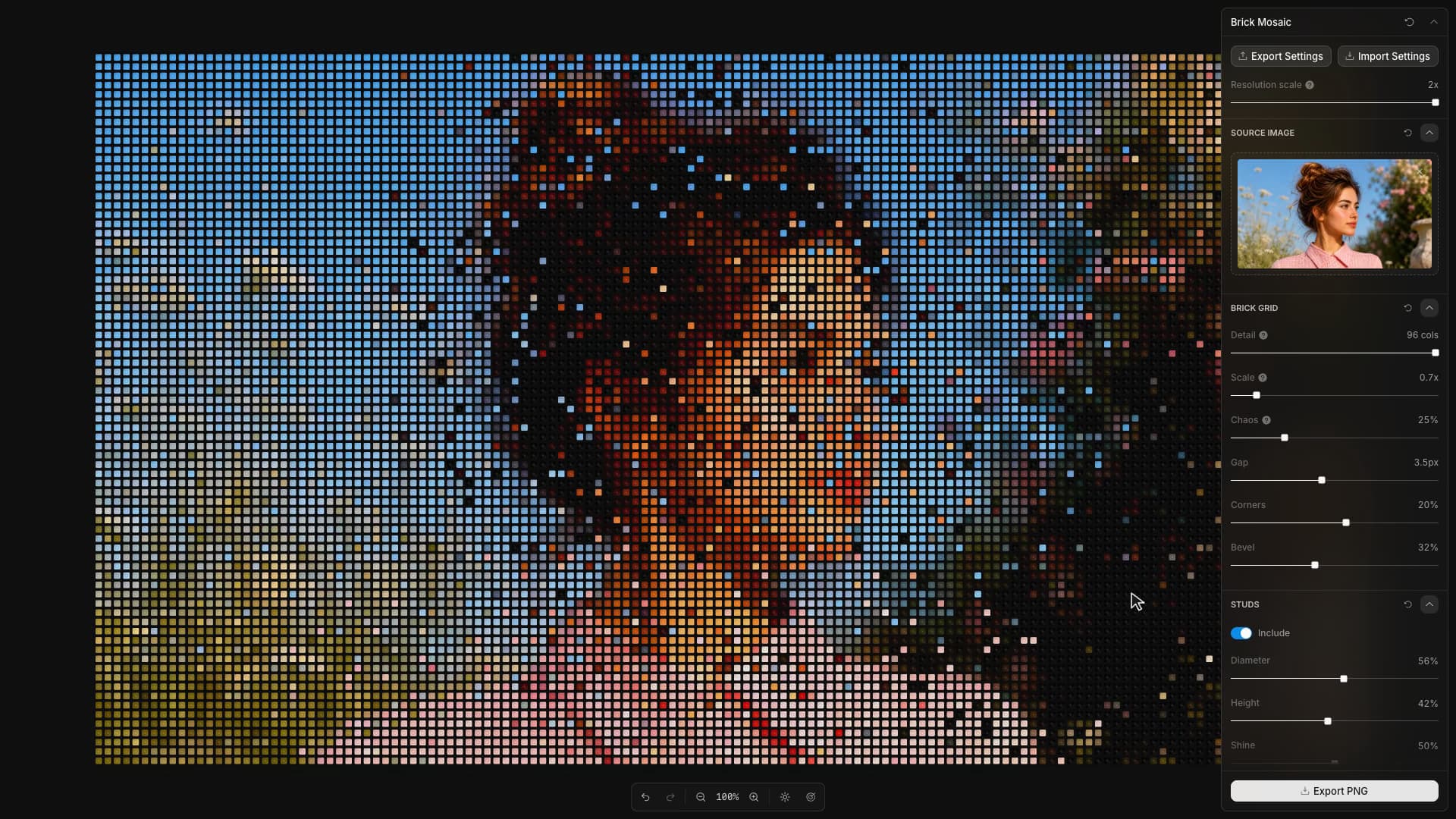
Brick Mosaic samples an image into colored cells and draws each as a brick with bevels, studs, and shadows. Its Chaos control exchanges samples between cells: raising it involves more bricks and increases how far their colors can travel. Each sample still appears once. Returning to zero restores the original arrangement, and the same setting produces the same disorder on export. The image can lose its recognizable subject while retaining its original distribution of colors.
The apparent depth comes from a Canvas 2D renderer. It draws the colored body of each brick, then adds a reusable relief tile containing the edge treatment, studs, highlights, and shadows. Bricks with the same dimensions and lighting share that tile. Changing the source colors therefore does not require constructing every stud and bevel again, while changing the light direction updates the common relief.
Scale also changes the arrangement's density, so dragging its slider rebuilds the grid. During that gesture, a temporary shuffle exchanges nearby samples; releasing the slider returns the bricks to their assembled arrangement at the new size. The Chaos setting remains part of that final composition.