Dot Ring Studio
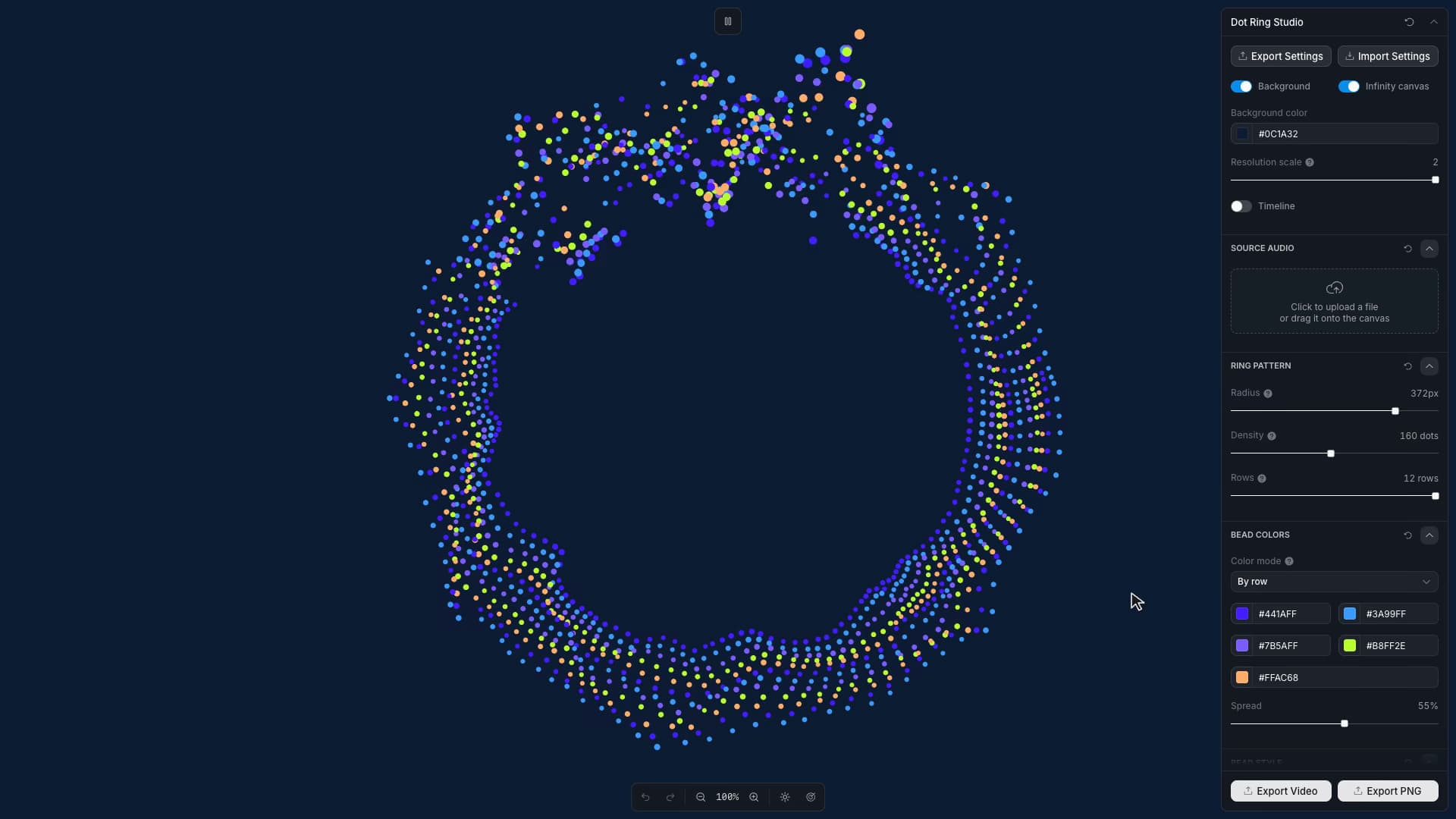
Create audio-reactive dotted rings with editable geometry, palettes, motion, infinite canvas, and image or video export.
Start from this app
Run the CLI. Paste the copied command into your terminal.
Name your project. Choose a name, then let the CLI install the app and its dependencies.
Start building. Open the generated project and make it your own.

Mapping audio around a ring creates a seam problem. The signal at the end of the circle must meet the signal at its beginning. Dot Ring Studio uses periodic angular sampling and a final seam adjustment to keep the shape closed as it deforms.
The audio is analyzed into frequency bands, energy, and transients. Those signals affect bead displacement and size, with stronger motion concentrated in a traveling sector. Inner rows sample delayed signals, producing an echo of the outer ring. The same closed geometry feeds the preview, still export, and video.
Tracks arrive at different levels, so the analysis scales each frequency band against loud moments within the uploaded recording. It uses percentiles rather than letting a single maximum define the entire range. Rising energy receives a faster response than falling energy, and transients decay separately. A hit can register promptly while the shape takes longer to settle after it.
Strong deformation can push neighboring beads together. After calculating the wave, the renderer makes a few passes around each row, separating adjacent beads that are too close and gently pulling them back toward their intended positions. The final bead is included as a neighbor of the first. This reduces crowding while retaining the wave's shape around the closed ring.