Exploring a brand’s visual direction with a procedural graphics app
How Pixel Point used Toolcraft to develop a unique pattern for a client’s brand.
Start from this app
Run the CLI. Paste the copied command into your terminal.
Name your project. Choose a name, then let the CLI install the app and its dependencies.
Start building. Open the generated project and make it your own.

At Pixel Point, we were working on a new brand identity and website for Polar Signals. Their platform helps developers find performance bottlenecks by collecting and visualizing data about how their code runs. Charts and flame graphs are a big part of the interface.
During the brand exploration, we started looking at heat maps and flame graphs as a possible direction for the visual identity.
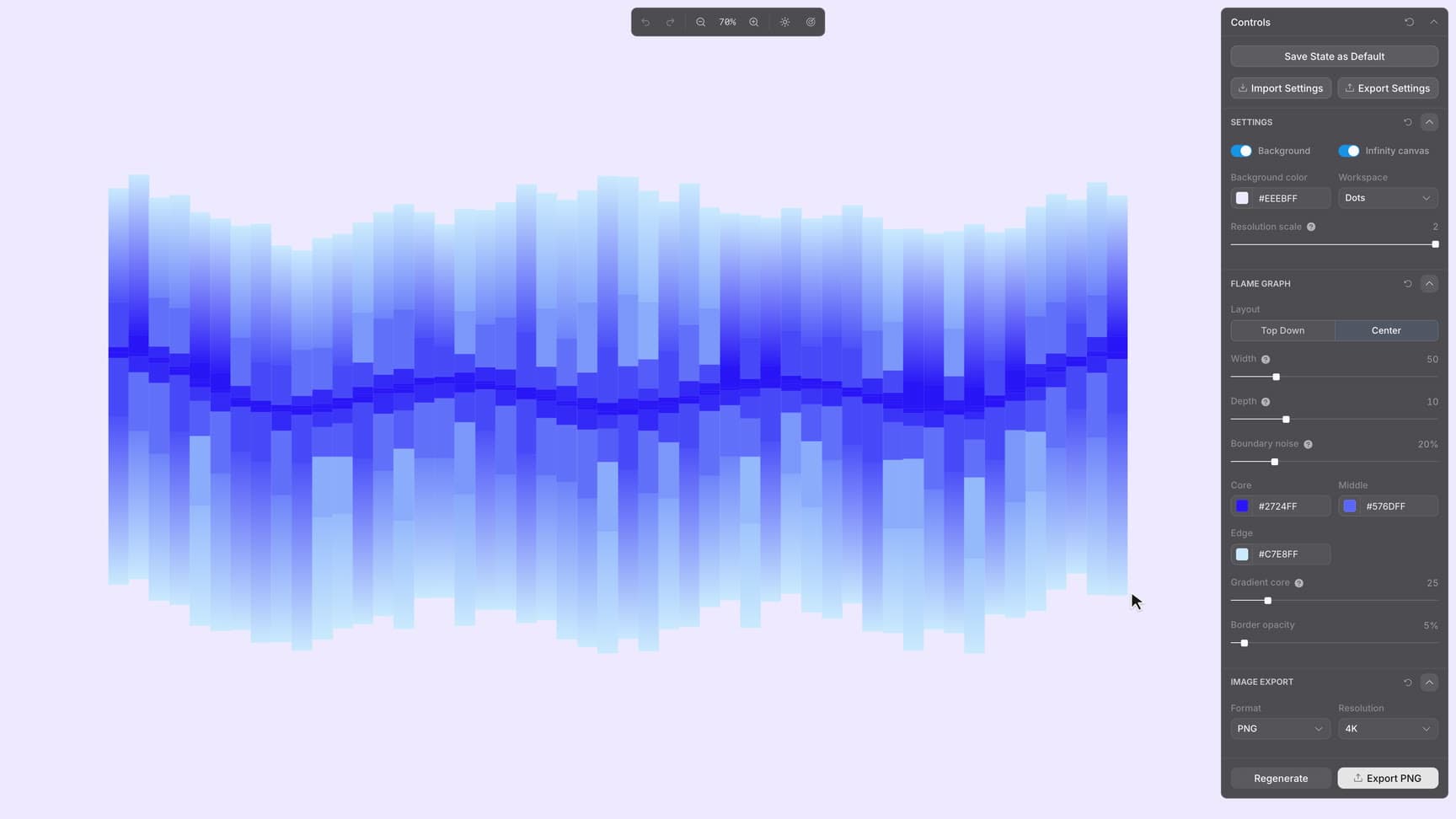
The rough idea for one of the brand elements was inspired by flame graphs. We wanted to represent it as a collection of rectangles, some filled with solid colors or gradients. But how would you experiment with that in Figma? Manually drawing hundreds of rectangles, changing their fills, and playing with their corner radius or sizes sounded like an unrealistic amount of work. We needed a place to experiment efficiently with the look and feel of the visual. That’s where Toolcraft came in.
We started by creating a new project with the Toolcraft CLI:
Then we sent the agent our first prompt:
Initial prompt:
Build an app that will let me generate abstract patterns inspired by flame graphs. Arrange narrow columns of stacked rectangles around a wavy center, with small, dark segments becoming larger and lighter toward the outer edges. I want to reshape the pattern by dragging guide points directly on the canvas and generate new variations. Figure out which controls would be most useful for experimenting with the composition, density, boundary irregularity, colors, and gradient.
The first prompt didn’t produce a perfect result. It took quite a few iterations and roughly a day to reach the version of the app you can explore now. That meant going back and forth with the agent, checking in to review the result and guide the next iteration while working on other tasks. We built it when we were using Codex 5.3 or 5.4, so I’d expect something similar to take just a few hours today.
What started as a rough idea became a pattern for the brand and resulted in a dedicated app that let us generate on-brand assets consistently and quickly, so we could create new variations for the website, booth designs, and social media materials without starting from scratch each time.